FAQ.
How Credonauts work, in one place: the collection, the views, your main view and the Lab.
Credonauts.
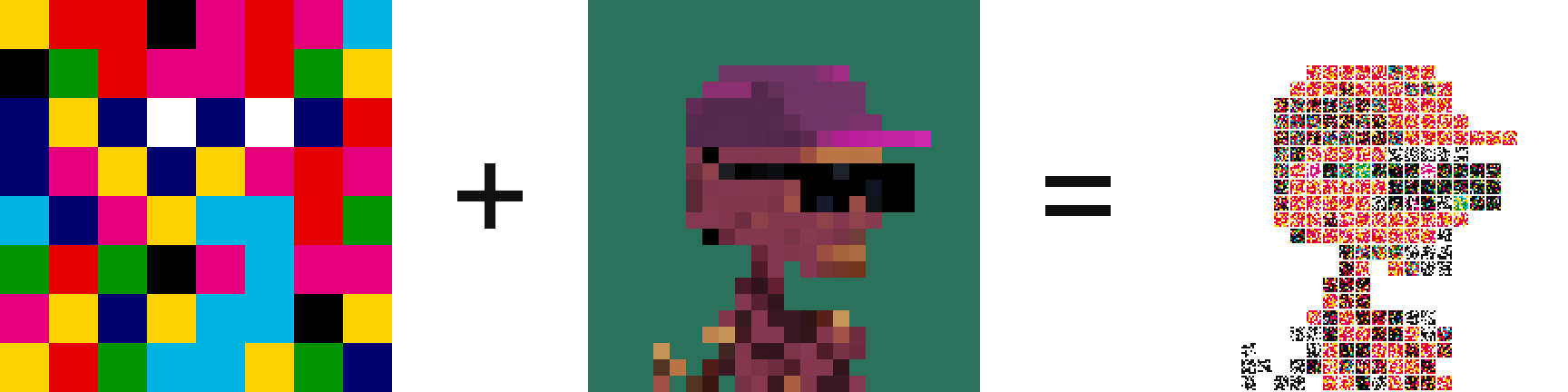
- What is a Credonaut?
- An Argonaut rebuilt from real Credits. Every pixel of the figure is one whole Credit, never recolored, and the background is left white. Credonaut #71 comes from Argonaut #71, and the same goes for every number.
- What are Credits and Argonauts?
- Credits are a collection by Jack Butcher on Ethereum. Each Credit is a grid of 8 by 8 cells printed with up to four inks: cyan, magenta, yellow and black. Argonauts are pixel characters by Alpha Centauri Kid, 24 by 24 pixels, and a typical one has around a hundred shades. Their story is on the Inspired by page.
- How is one made?
- Every Credit belongs to a color family, and each family runs from dark to light. Each group of like colors in the Argonaut gets a family drawn at random, so a Credonaut often has different colors from its Argonaut. Inside that family the Argonaut's shading picks the spot, so lighter shades get lighter Credits. No Credit shows up twice in one Credonaut. On the home page you can click any pixel to see its Credit.
- How many are there?
- The mint sold out at 3,333. Each burn in the Lab removes one for good, so 3,333 exist right now.
- Where can I see them all?
- In the Gallery. Open any one to see every Credit in it.
Views.
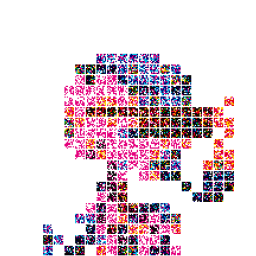
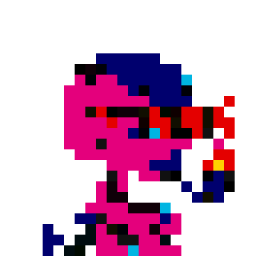
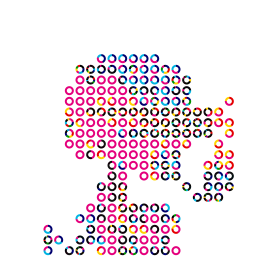
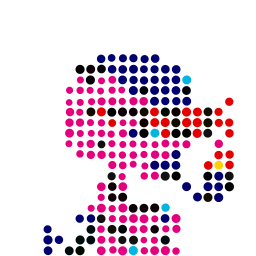
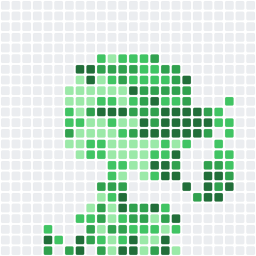
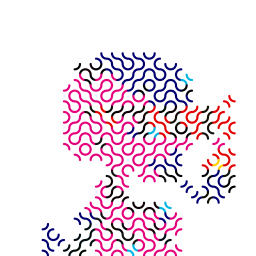
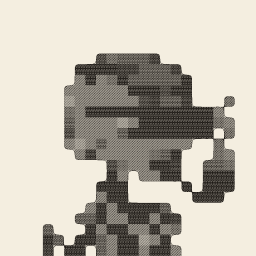
- What is a view?
- A way to draw the same Credonaut. In almost every view the Credits and the figure stay where they are, and only the drawing changes. Ouroboros moves the Credits around the figure, and Credobird draws the Moonbird with the same number. Every Credonaut has 29 views, and its page on OpenSea lets you switch between them. A Credonaut that went through the Lab shows one still picture there for now: its step in its main view.
- Which views are there?
-
All 29, in the order they came out. The ones marked Live move.
- CreditsThe original. Every pixel of the figure is one whole Credit.
- ConsolidatedThe Credits move together and the gaps close.
- JoinedOnly the borders between ink and paper stay.
- MeltedThe ink blurs by about one cell and gets an outline.
- AllocatedEach Credit gets its own cell, filled with its main color.
- BalancedEach Credit turns into one flat block of its main color.
- VoidedThe token layout, with every cell drawn as an outline.
- DonutsEach Credit becomes a ring that shows how much of each color it holds.
- TreemappedEach Credit splits into blocks sized by its colors.
- SortedThe cells inside each Credit line up by color.
- CenteredEach Credit becomes a dot at the middle of its ink. More ink, bigger dot.
- TalliedEach Credit shows how many of its 64 cells hold ink.
- ScannedThe 64 cells of each Credit laid out as a barcode.
- MinesMinesweeper on the Credonaut. Open the token to play.
- CredobirdThe Moonbird with the same number, rebuilt from whole Credits. Every token has it.
- CommittedA contribution graph. Every Credit is one square, greener where it holds more ink.
- LayeredPaper cut in five layers by tone, lighter sheets behind and darker ones in front.
- Tide LiveLayered, alive. The paper edges move like water.
- TruchetEvery Credit is a tile of two arcs, turned by its ink, and the arcs run into each other.
- Ouroboros LiveThe Credits crawl after their own tail through the figure, one cell left empty.
- EncyclopédieA copper engraving, the way Diderot's plates were made. Darker Credits, denser lines.
- Moiré LiveTwo sets of rings inside the figure, one drifting; the interference flows through it.
- Spin LiveDonuts, alive. Every ring turns, its neighbors the other way.
- Breathe LiveMelted, alive. The ink breathes, each blob in its own time.
- Drift LiveAllocated, alive. The cells drift and push on each other.
- Rain LiveLayered on blue cyanotype paper. Drops fall inside the figure and the rings spread.
- Atlas LiveLayered as a map. Every sheet is land at its height, and the contour lines flow inwards.
- Ceramic LiveLayered as glazed porcelain. The glaze pools in every hollow and the terraces breathe.
- Glass LiveLayered as thick colored glass in the sun, throwing colored light on the paper.
- Which views move?
- Ten of them: Tide, Ouroboros, Moiré, Spin, Breathe, Drift, Rain, Atlas, Ceramic and Glass. They move on their own, with nothing to press. When one of them is a Credonaut's main view, OpenSea shows it as a looping GIF. A Credonaut that went through the Lab shows a still picture of its step instead.
- How did new views open?
-
With goals during the mint. When the number of minted Credonauts reached a goal, its views opened for every Credonaut at once.
- 2,700Tide
- 2,800Truchet
- 2,900Ouroboros
- 3,000Saving in Paint
- 3,100Encyclopédie
- 3,200Moiré
- 3,300Spin, Breathe, Drift
- 3,333Rain, Atlas, Ceramic, Glass
The collection sold out, so every goal is open for good. Burns in the Lab do not close them.
- What is the Ugh view?
- An extra view for holders of ughs. If a wallet holds at least one ugh, every Credonaut in it gets the Ugh view. The site checks who holds them every hour.
- What does a Credonaut show before its owner picks a view?
- Its own still view, picked at random once and tied to its number. The pick comes from 13 views: Credits, Consolidated, Allocated, Balanced, Donuts, Treemapped, Sorted, Centered, Scanned, Committed, Layered, Truchet and Encyclopédie. The owner can change it any time.
Your main view.
Sign this message
credonauts.com
Show Layered as the main view of Credonaut #71.
Time: 2026-10-15T12:00:00.000Z
 CustomOwner's pick
- What is the main view?
- The picture OpenSea shows for your Credonaut: in the collection grid, on your profile and on its own page. Its page on OpenSea also opens in that view.
- How do I set it?
- Open My Credonauts and connect your wallet. Open a Credonaut, pick a view and press Make main. Your wallet then asks you to sign a short message.
- Does it cost anything?
- No. Signing is free and needs no gas. It sends nothing and moves nothing. It only proves you hold the Credonaut, and the site checks the owner on the contract before it saves your pick.
- Which views can be the main one?
- Any of the 29 except Mines, which you play on the token page. Also the Ugh view if your wallet holds an ugh, and your own painting from the Paint page.
- How soon does OpenSea show it?
- Within the hour, often in a few minutes. The site asks OpenSea to read your Credonaut again and keeps asking every few minutes until the new view shows, for up to about an hour.
- What does the Custom trait mean?
- It tells you the owner made a choice. Owner's pick means the owner set the main view with a signature. Painted means the main view is the owner's own painting. A Credonaut on its random view has no Custom trait.
- What is Paint?
- On the Paint page you can redraw any pixel of your Credonaut with another real Credit, so every pixel is still one whole Credit. Save it with a free signature and make it the main view if you like.
- What happens to my choice when I sell?
- It stays with the Credonaut, and so does a painting. The new owner can change both. The Ugh view shows only while the owner's wallet holds an ugh, so without one the Credonaut goes back to its random view.
- Which wallets work?
- A browser wallet like MetaMask or Rabby, or the browser inside your wallet app. The site cannot check signatures from smart contract wallets such as Safe.
Lab.
- Original24
- Step 112
- Step 28
- Step 36
- Step 44
- Step 53
- Step 62
- Step 71
- 1Pick twoOne to evolve and one to burn.
- 2SignA free message that names both.
- 3BurnYour wallet burns the donor in one transaction.
- 4EvolveYour Credonaut goes one step simpler.
- What is the Lab?
- The place to burn one Credonaut to evolve another. Each burn takes the one you keep a step simpler, down to a single color.
- What do I need?
- Two Credonauts in the same wallet: one to evolve and one to burn. The one you burn is the donor.
- How does it work?
- On the Lab page, connect your wallet and pick the Credonaut to evolve, then the donor. Sign a free message that names both, then confirm the burn in your wallet. Once the burn goes through, the site checks it on Ethereum and moves your Credonaut one step down. If you close the page right after the burn, the site still finds it within a few minutes.
- Who burns the donor?
- You do, from your own wallet, with the burn function of the Credonauts contract. The Lab never asks for approval to move your Credonauts.
- What are the steps?
- Seven, after the original. Each step redraws the figure on a smaller grid: 12, 8, 6, 4, 3, 2 and then 1 pixel across. Each new pixel takes the most common color of the Credits under it. At step 7 the whole Credonaut is a single color.
- How many burns does it take?
- One burn for each step, so seven take a Credonaut from the original to its last step. After that it cannot evolve again.
- What does it cost?
- The signature is free. The burn is one Ethereum transaction, and its gas depends on the Credonaut you burn, from about 46,000 to over 300,000. Your wallet shows the fee before you confirm.
- What if the donor has evolved too?
- Its steps burn with it. The Lab tells you before you burn.
- Can I undo a burn?
- No. A burned Credonaut is gone for good.
- Does the step stay when I sell?
- Yes. The step belongs to the Credonaut, not to the wallet, so the next owner gets it too.
- What happens to the supply?
- Each burn lowers it by one, and 3,333 Credonauts exist right now. The Gallery hides burned ones, and every view stays open.
- How does OpenSea update?
- A couple of minutes after the burn, the site asks OpenSea to read the evolved Credonaut again, then asks twice more a few minutes apart. OpenSea then shows the new step as a still picture in its main view, with an Evolution trait that holds the step number. A view that moves shows still: Tide, Rain, Atlas, Ceramic and Glass look like Layered, Spin like Donuts, Breathe like Melted, Drift like Allocated, Ouroboros like Credits, and Moiré stands still. If the main view is Ugh, Credobird or a painting, the step shows in Credits.